
How to SIM Unlock Samsung Galaxy S5
This guide will help you how to successfully SIM unlock Samsung Galaxy S5 and use it with any GSM carrier worldwide.
Samsung Galaxy S5 bought from a carrier such as T-Mobile, AT&T, Rogers, Fido, Telus, Koodo, Bell, Virgin and so on, by default it comes carrier locked to that particular network until your contract expires with them. You can not use your S5 with any GSM Carrier in the US or Worldwide unless you first unlock it. If you want to use it with any other carrier/ network, then you will be forced to SIM unlock for it to work.Usually, a phone is SIM locked because major carriers don’t want consumers to use the purchased devices with other carriers or networks. Now supposed you’ve bought your phone from T-Mobile US but when you want to use it with AT&T it will always ask for “SIM network unlock PIN’.
Please note that there are some web pages that are offering Free SIM unlock method, to be honest, these tricks don’t work and therefore you should not waste your time.
If you don’t believe me, Just try their method and let me know if it works for you!
We are providing permanent IMEI unlock solution that will unlock your phone so that you can use it anywhere with your choice of GSM network worldwide.
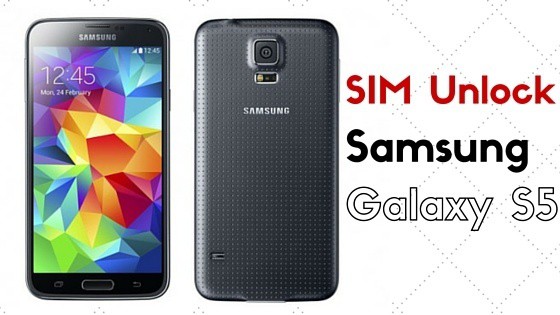
4 Reasons why you need to SIM Unlock Galaxy S5:
- No Carrier hassle, You can then easily switch SIM between GSM Networks to get the best rates.
- Allows you to use local SIM cards on GSM carriers wherever you travel to avoid any Roaming fees.
- Free your Galaxy S5, because freedom is good.
- Increase your phone value, if in case you were planning to sell your phone.
Why Use Our Unlock Services?
- Our Unlocking process is really faster, Usually it takes between 1-5 hours.
- Simply get the unlock code via Email and No Rooting/Software/Cables required. Easily Unlock your phone in Home.
- No risk of bricking your phone.
- 100% working and money back guarantee. *Terms and conditions applies.
- WE BELIEVE IN QUALITY and WE ARE CONCERN ABOUT OUR CUSTOMERS.
How to SIM Unlock the Samsung Galaxy S5:
- Find your phone IMEI. Dial *#06#
- Please double check your IMEI number, make sure it is 100% correct. We will not refund for wrong IMEI or already Unlocked phones.
Unlock Instructions for Galaxy S5:
Once you get the unlock code from us for your phone, follow the step-by-step instructions below to unlock your phone.
Step 1: Insert the non-accepted SIM card to your phone and turn it on.
Step 2: Phone will display you the SIM network unlock PIN.
Step 3: Now enter the 8 digits unlock code and tap the Unlock button.
Step 4: You should now see the Network Unlock Successful message.
Step 5: Congratulations! Your Samsung Galaxy S5 is now successfully sim unlocked.

