
- Home
- Odin3
3

How to Extract PIT File From a Samsung Galaxy
Our recent post on Odin errors mentioned a particular error, ‘There is no PIT partition error‘. Users are having issues getting PIT files to flash with stock firmware using Odin. Progeeksblog guide will help you how to extract PIT files using the terminal emulator or ADB commands so that you don’t have any issues in […]
Continue reading
3
The 5 Most Common Odin Fail Errors and How to Fix it

Odin is a tool for flashing stock firmware on the majority of Samsung Galaxy devices, including the Galaxy S23 Ultra, S22 Plus, S21, S10, S9, S8, S7, S6 Edge, S5, S4, Note 5, Note 4, and the Tab S series. I have already covered the step-by-step guide on how to use Odin. But later, I […]
Continue reading
3
How to Install TWRP Recovery using Odin
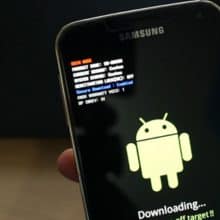
Learn using the step-by-step guide on how to install TWRP custom recovery on all Samsung Android models including Galaxy S22, S21, S20, and Note20, S10 Plus, S9, S8, S7 /S7 Edge, S6 /S6, S5, S4 Edge, Note20 Ultra, Note 10+, Note 9, Note 8, Note 7, Note 4, Note 3 and other Galaxy Tab devices. […]
Continue reading
4
What is Odin3 and How to Use Odin to Flash Firmware on Samsung

Odin is a firmware flashing tool for all Samsung Galaxy devices, including the Galaxy Note 20 Ultra, Note10+, Note9, Note8, S22, S21 Ultra, S20, S10+, S9 Plus, S8+, S7 Edge Plus, S6, S5, S4, and Tab S series. As a matter of fact, Samsung releases the official updates over the air (OTA). However, there are […]
Continue reading
2
How to Fix “Firmware Upgrade Encountered an Issue” on Samsung Galaxy
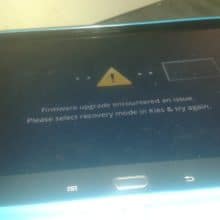
Firmware upgrade encountered an issue error occurs on most of the Samsung Galaxy devices when the update process using Kies or the wrong firmware file is flushed using Odin3. It also happens when one tries to root or flash custom ROM. You don’t have to be worried about the issue as it can be resolved […]
Continue reading
1
Download Odin3: Samsung tool to Flash Stock Firmware
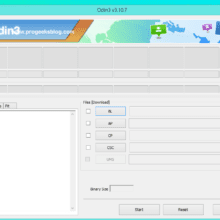
Odin (firmware flashing software) was originally developed by Samsung for the sole purpose of being used in the Samsung care centers. The one we have got is somehow the leaked version, and the user is able to flash tar.md5 and.tar extension files. It is pretty simple, with a basic user interface, making it user-friendly, and […]
Continue reading