
Samsung Galaxy S10 & S10 Plus FRP Bypass Android 11
We have written this dedicated guide on how to bypass Frp on the Galaxy S10 and S10 Plus. The Samsung Galaxy S10 was released in 2019 with Android 9.0 (Pie) but is updated to Android 11 (One UI 3.1) in 2022 with the latest security update for Factory Reset Protection and other minor bug fixes, which has further improved the security, ultimately making it harder to bypass Google lock.
Anyway, there are still some good bypass methods that we’ll try in the following step-by-step guide.
You can use this guide for all models of the Galaxy S10 and S10 Plus, including:
- SM-G973F/DS (Global)
- SM-G973U (USA)
- SM-G973W (Canada)
- SM-G9730 (China)
- SM-G975F/DS
- SM-G975U
- SM-G975W
Even though it was released with Android 9.0 due to recent updates by Samsung, most of the Galaxy S10 models listed above are either running Android 10 or Android 11’s latest security.
Bypass Google Account Galaxy S10 and S10 Plus Android 11
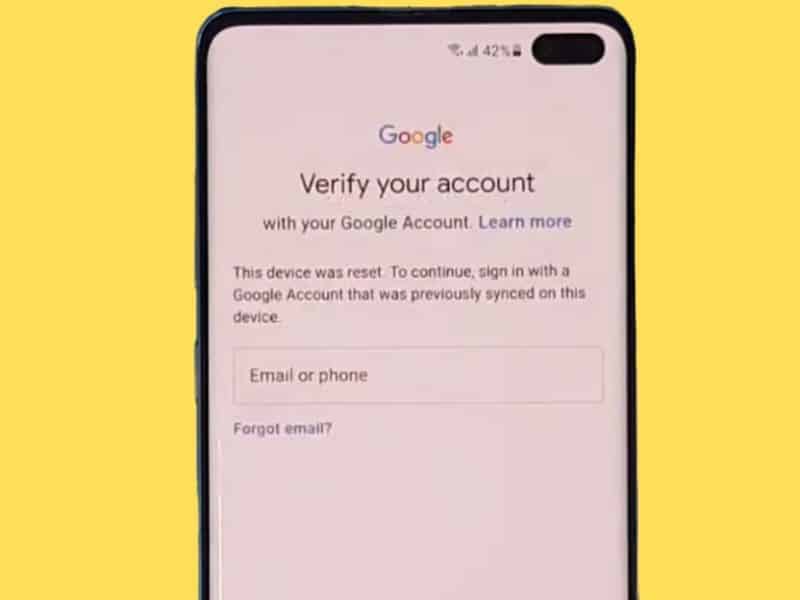
This device was reset.” To continue, sign in with a Google account that was previously synced on this device Galaxy S10 Plus.
If your phone is running Android 11 One UI 3.1, then you need to follow the below steps to remove your Google account from your S10. This method involves using the one-click method with SamFW FRP Tool 3.0 Test mode to bypass FRP lock and add a new Google account to your device.
- Download SamFW FRP Tool on your computer.
- Also, make sure you’ve installed Samsung USB drivers on your PC. Download the latest drivers from here.
- Once you’ve downloaded the required files, connect your phone to your PC and make sure it is on.
- Make sure your phone is on the setup screen.
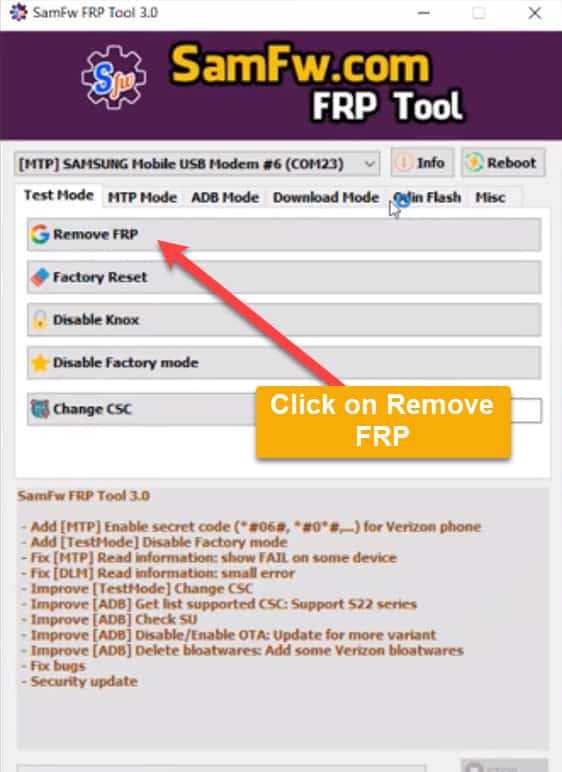
- Run the SamFW FRP tool, choose the Test Mode tab, and click on Remove FRP, as shown in the screenshot below:

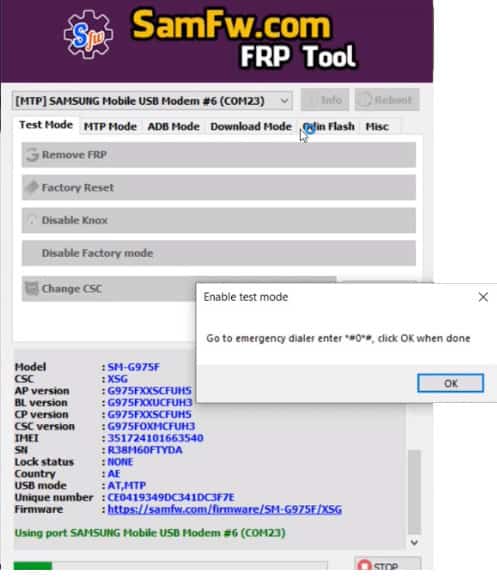
- It will read your phone information and ask you to enable test mode on your phone from Emergency dialer on the welcome screen.

Go to emergency dialer, enter *#0*#, and click OK when done
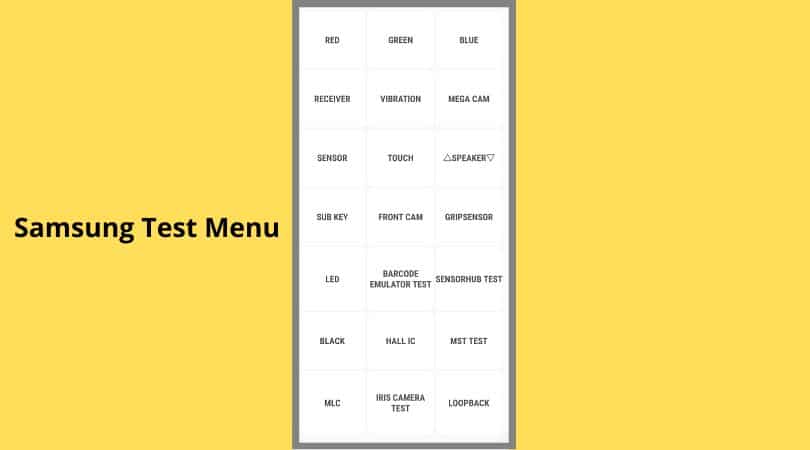
- After dialing the secret code, you’ll get this screen on your Galaxy S10 Plus:

- Once you get to the test mode, click OK in the SamFW tool.
- It will run its magic algorithm, and a few seconds later, your phone will ask you to “allow USB debugging,” check on “always allow for this computer,” and tap OK.
- After around 20 seconds, you’ll get the message FRP Remove Successfully. During this process, your phone may restart.

- That’s how you can easily remove FRP on the Galaxy S10 running Android 11.

Bypass Google Lock S10/S10 Plus Android 9 (SIM PIN Method)
In case your S10 is running Android 9.0, here are the bypass methods you can follow to get rid of your Google-locked account. Please note that the video tutorial below is using a Galaxy C5, but the procedure and steps can be applied to your Galaxy S10 as well. Still, if you’ve got any questions, you can ask them in the comment section.
I hope, by the end of the guide, you’ve successfully bypassed the Google account on your Galaxy S9 Plus. If you’re still not able to bypass, you can use our live chat support here to remove FRP online using our remote unlock service for all Samsung phones.

